
UI/UX & Product Management icon collection
Product managers and designers review mock-ups, specs and screenshots every day. This collection lets you sketch interface components, map user flows and leave review feedback directly on a PDF export of your designs or requirements.
Who it's for: Product managers, UX/UI designers, developers and QA testers.
Interface components
Buttons, inputs, toggles, cards and navigation elements.
Button
The Button symbol from the Interface components category. Use it to sketch or point out interface elements on a screen.
Text input
The Text input symbol from the Interface components category. Use it to sketch or point out interface elements on a screen.
Dropdown
The Dropdown symbol from the Interface components category. Use it to sketch or point out interface elements on a screen.

Checkbox
The Checkbox symbol from the Interface components category. Use it to sketch or point out interface elements on a screen.

Radio button
The Radio button symbol from the Interface components category. Use it to sketch or point out interface elements on a screen.
Search bar
The Search bar symbol from the Interface components category. Use it to sketch or point out interface elements on a screen.

Toggle switch
The Toggle switch symbol from the Interface components category. Use it to sketch or point out interface elements on a screen.
Card / Container
The Card / Container symbol from the Interface components category. Use it to sketch or point out interface elements on a screen.
Modal window
The Modal window symbol from the Interface components category. Use it to sketch or point out interface elements on a screen.
Navbar
The Navbar symbol from the Interface components category. Use it to sketch or point out interface elements on a screen.
Action & status symbols
Add, edit, delete, loading, success and error states.

Home
The Home symbol from the Action & status symbols category. Use it to describe what an element does or which state it is in.

User / Profile
The User / Profile symbol from the Action & status symbols category. Use it to describe what an element does or which state it is in.

Settings
The Settings symbol from the Action & status symbols category. Use it to describe what an element does or which state it is in.

Search
The Search symbol from the Action & status symbols category. Use it to describe what an element does or which state it is in.

Edit / Pencil
The Edit / Pencil symbol from the Action & status symbols category. Use it to describe what an element does or which state it is in.
Delete / Trash
The Delete / Trash symbol from the Action & status symbols category. Use it to describe what an element does or which state it is in.

Share
The Share symbol from the Action & status symbols category. Use it to describe what an element does or which state it is in.

Download
The Download symbol from the Action & status symbols category. Use it to describe what an element does or which state it is in.

Alert / Warning
The Alert / Warning symbol from the Action & status symbols category. Use it to describe what an element does or which state it is in.

Favorite / Heart
The Favorite / Heart symbol from the Action & status symbols category. Use it to describe what an element does or which state it is in.
User flow & logic
Start and end points, decisions, steps and connectors.
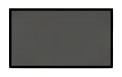
Process (Rectangle)
The Process (Rectangle) symbol from the User flow & logic category. Use it to map the path a user takes through a product.
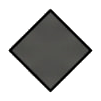
Decision (Diamond)
The Decision (Diamond) symbol from the User flow & logic category. Use it to map the path a user takes through a product.
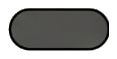
Start / End
The Start / End symbol from the User flow & logic category. Use it to map the path a user takes through a product.
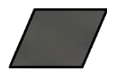
Data / Input
The Data / Input symbol from the User flow & logic category. Use it to map the path a user takes through a product.
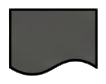
Document (Wave bottom)
The Document (Wave bottom) symbol from the User flow & logic category. Use it to map the path a user takes through a product.
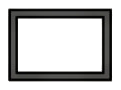
Sub-process
The Sub-process symbol from the User flow & logic category. Use it to map the path a user takes through a product.
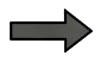
Directional arrow
The Directional arrow symbol from the User flow & logic category. Use it to map the path a user takes through a product.

Flow connector
The Flow connector symbol from the User flow & logic category. Use it to map the path a user takes through a product.

Database cylinder
The Database cylinder symbol from the User flow & logic category. Use it to map the path a user takes through a product.
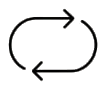
Loop / Iteration
The Loop / Iteration symbol from the User flow & logic category. Use it to map the path a user takes through a product.
Feedback & collaboration
Comments, approvals, bugs, ideas and assignee markers.
Comment bubble
The Comment bubble symbol from the Feedback & collaboration category. Use it to leave review feedback for your team.
Sticky note
The Sticky note symbol from the Feedback & collaboration category. Use it to leave review feedback for your team.
Question pointer
The Question pointer symbol from the Feedback & collaboration category. Use it to leave review feedback for your team.
Important flag
The Important flag symbol from the Feedback & collaboration category. Use it to leave review feedback for your team.
Idea / Bulb
The Idea / Bulb symbol from the Feedback & collaboration category. Use it to leave review feedback for your team.

Bug / Issue
The Bug / Issue symbol from the Feedback & collaboration category. Use it to leave review feedback for your team.
Assigned to
The Assigned to symbol from the Feedback & collaboration category. Use it to leave review feedback for your team.
Approve (Check)
The Approve (Check) symbol from the Feedback & collaboration category. Use it to leave review feedback for your team.
Reject (Cross)
The Reject (Cross) symbol from the Feedback & collaboration category. Use it to leave review feedback for your team.
Version marker
The Version marker symbol from the Feedback & collaboration category. Use it to leave review feedback for your team.
Device diagrams
Phone, tablet, laptop and desktop frames.
Mobile device
The Mobile device symbol from the Device diagrams category. Use it to show which device a design is meant for.
Tablet device
The Tablet device symbol from the Device diagrams category. Use it to show which device a design is meant for.
Desktop browser
The Desktop browser symbol from the Device diagrams category. Use it to show which device a design is meant for.
Window close
The Window close symbol from the Device diagrams category. Use it to show which device a design is meant for.
Scroll bar
The Scroll bar symbol from the Device diagrams category. Use it to show which device a design is meant for.
Image placeholder
The Image placeholder symbol from the Device diagrams category. Use it to show which device a design is meant for.
Video player
The Video player symbol from the Device diagrams category. Use it to show which device a design is meant for.
Map placement
The Map placement symbol from the Device diagrams category. Use it to show which device a design is meant for.
Chart / Graph
The Chart / Graph symbol from the Device diagrams category. Use it to show which device a design is meant for.
Grid layout
The Grid layout symbol from the Device diagrams category. Use it to show which device a design is meant for.
How to use this collection
Open the workspace, upload a document, open the collection in the side menu and drag an icon onto the page. Resize, rotate, mirror and recolour it in black, blue, red or green.
Open editor