
Education, Grading & Editing icon collection
Teachers, tutors, editors and reviewers mark up assignments and manuscripts with a shared vocabulary of ticks, stamps and proofreading marks. This collection brings those marks to your PDFs so you can grade, give feedback and correct text clearly, without printing anything.
Who it's for: Teachers, lecturers, tutors, students, editors and proofreaders.
Grading stamps
Excellent, good work, A+ and score stamps for marked work.
Teacher — A+
The Teacher — A+ symbol from the Grading stamps category. Use it to give a clear overall grade at a glance.

Excellent!
The Excellent! symbol from the Grading stamps category. Use it to give a clear overall grade at a glance.

Great job!
The Great job! symbol from the Grading stamps category. Use it to give a clear overall grade at a glance.
Keep it up! — 100%
The Keep it up! — 100% symbol from the Grading stamps category. Use it to give a clear overall grade at a glance.
Good work
The Good work symbol from the Grading stamps category. Use it to give a clear overall grade at a glance.

Late
The Late symbol from the Grading stamps category. Use it to give a clear overall grade at a glance.
Incomplete
The Incomplete symbol from the Grading stamps category. Use it to give a clear overall grade at a glance.
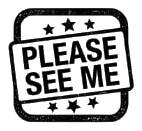
Please see me
The Please see me symbol from the Grading stamps category. Use it to give a clear overall grade at a glance.
Feedback & marks
Ticks, crosses, question marks, stars and comment markers.
Tick (Correct)
The Tick (Correct) symbol from the Feedback & marks category. Use it to react to a specific answer or sentence.
X (Incorrect)
The X (Incorrect) symbol from the Feedback & marks category. Use it to react to a specific answer or sentence.
Check mark
The Check mark symbol from the Feedback & marks category. Use it to react to a specific answer or sentence.
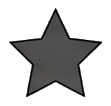
Star
The Star symbol from the Feedback & marks category. Use it to react to a specific answer or sentence.
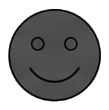
Smiley face
The Smiley face symbol from the Feedback & marks category. Use it to react to a specific answer or sentence.
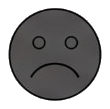
Frowny face
The Frowny face symbol from the Feedback & marks category. Use it to react to a specific answer or sentence.
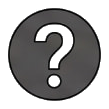
Question mark
The Question mark symbol from the Feedback & marks category. Use it to react to a specific answer or sentence.
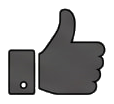
Thumbs up
The Thumbs up symbol from the Feedback & marks category. Use it to react to a specific answer or sentence.
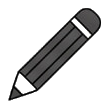
Pencil (Correct)
The Pencil (Correct) symbol from the Feedback & marks category. Use it to react to a specific answer or sentence.
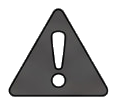
Warning / Alert
The Warning / Alert symbol from the Feedback & marks category. Use it to react to a specific answer or sentence.
Standard proofreading
Insert, delete, transpose, new paragraph and capitalise marks.

Delete
The Delete symbol from the Standard proofreading category. Use it to show a precise correction the writer should make.

Close up
The Close up symbol from the Standard proofreading category. Use it to show a precise correction the writer should make.

Space mark (#)
The Space mark (#) symbol from the Standard proofreading category. Use it to show a precise correction the writer should make.

New paragraph (¶)
The New paragraph (¶) symbol from the Standard proofreading category. Use it to show a precise correction the writer should make.
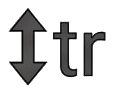
Transpose (tr)
The Transpose (tr) symbol from the Standard proofreading category. Use it to show a precise correction the writer should make.

Insert text (Caret)
The Insert text (Caret) symbol from the Standard proofreading category. Use it to show a precise correction the writer should make.

Let it stand (stet)
The Let it stand (stet) symbol from the Standard proofreading category. Use it to show a precise correction the writer should make.

Run on
The Run on symbol from the Standard proofreading category. Use it to show a precise correction the writer should make.

Capitalize (caps)
The Capitalize (caps) symbol from the Standard proofreading category. Use it to show a precise correction the writer should make.

Lowercase (lc)
The Lowercase (lc) symbol from the Standard proofreading category. Use it to show a precise correction the writer should make.
Paper & margin annotations
Margin notes, brackets, highlights and see-page references.
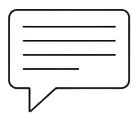
Note / Commentary
The Note / Commentary symbol from the Paper & margin annotations category. Use it to add notes beside the text without covering it.
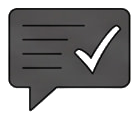
Correct & return
The Correct & return symbol from the Paper & margin annotations category. Use it to add notes beside the text without covering it.
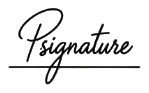
Parent signature
The Parent signature symbol from the Paper & margin annotations category. Use it to add notes beside the text without covering it.
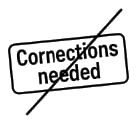
Corrections needed
The Corrections needed symbol from the Paper & margin annotations category. Use it to add notes beside the text without covering it.
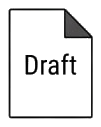
Draft
The Draft symbol from the Paper & margin annotations category. Use it to add notes beside the text without covering it.
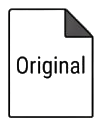
Original copy
The Original copy symbol from the Paper & margin annotations category. Use it to add notes beside the text without covering it.
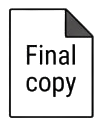
Final copy
The Final copy symbol from the Paper & margin annotations category. Use it to add notes beside the text without covering it.
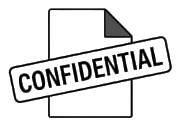
Confidential / Review
The Confidential / Review symbol from the Paper & margin annotations category. Use it to add notes beside the text without covering it.
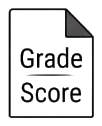
Grade / Score
The Grade / Score symbol from the Paper & margin annotations category. Use it to add notes beside the text without covering it.
Feedback box
The Feedback box symbol from the Paper & margin annotations category. Use it to add notes beside the text without covering it.
Common marking symbols
Everyday marks such as circles, arrows, underlines and numbering.

Insert comma
The Insert comma symbol from the Common marking symbols category. Use it for quick, general marking anywhere on a page.

Insert period
The Insert period symbol from the Common marking symbols category. Use it for quick, general marking anywhere on a page.

Double underline
The Double underline symbol from the Common marking symbols category. Use it for quick, general marking anywhere on a page.

Double wave underline
The Double wave underline symbol from the Common marking symbols category. Use it for quick, general marking anywhere on a page.

Wave underline
The Wave underline symbol from the Common marking symbols category. Use it for quick, general marking anywhere on a page.

Correction pointer
The Correction pointer symbol from the Common marking symbols category. Use it for quick, general marking anywhere on a page.
Review loop
The Review loop symbol from the Common marking symbols category. Use it for quick, general marking anywhere on a page.

Check again
The Check again symbol from the Common marking symbols category. Use it for quick, general marking anywhere on a page.

Check again — round
The Check again — round symbol from the Common marking symbols category. Use it for quick, general marking anywhere on a page.
Check work
The Check work symbol from the Common marking symbols category. Use it for quick, general marking anywhere on a page.
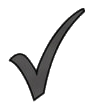
Notation sign — curved
The Notation sign — curved symbol from the Common marking symbols category. Use it for quick, general marking anywhere on a page.

Notation sign — straight
The Notation sign — straight symbol from the Common marking symbols category. Use it for quick, general marking anywhere on a page.
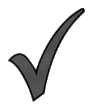
Notation sign — swept
The Notation sign — swept symbol from the Common marking symbols category. Use it for quick, general marking anywhere on a page.
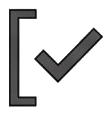
Bracketed check — left
The Bracketed check — left symbol from the Common marking symbols category. Use it for quick, general marking anywhere on a page.
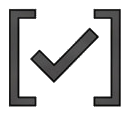
Bracketed check
The Bracketed check symbol from the Common marking symbols category. Use it for quick, general marking anywhere on a page.
How to use this collection
Open the workspace, upload a document, open the collection in the side menu and drag an icon onto the page. Resize, rotate, mirror and recolour it in black, blue, red or green.
Open editor