
Electrical & Mechanical Engineering icon collection
Engineers and technicians annotate schematics and building-services drawings with long-established symbols. This collection covers the most common electrical, plumbing, HVAC and instrumentation marks so you can mark up a drawing set or describe changes without CAD software.
Who it's for: Electrical and mechanical engineers, electricians, plumbers, HVAC technicians and site supervisors.
Electrical symbols
Resistors, switches, grounds, fuses and circuit elements.
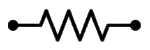
Resistor
The Resistor symbol from the Electrical symbols category. Use it to annotate circuit diagrams.
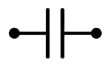
Capacitor
The Capacitor symbol from the Electrical symbols category. Use it to annotate circuit diagrams.
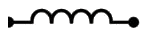
Inductor
The Inductor symbol from the Electrical symbols category. Use it to annotate circuit diagrams.
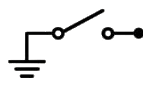
Ground switch
The Ground switch symbol from the Electrical symbols category. Use it to annotate circuit diagrams.
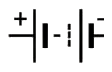
Battery
The Battery symbol from the Electrical symbols category. Use it to annotate circuit diagrams.

Diode
The Diode symbol from the Electrical symbols category. Use it to annotate circuit diagrams.
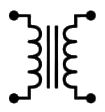
Transformer
The Transformer symbol from the Electrical symbols category. Use it to annotate circuit diagrams.
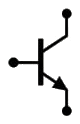
Transistor
The Transistor symbol from the Electrical symbols category. Use it to annotate circuit diagrams.
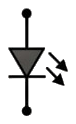
LED
The LED symbol from the Electrical symbols category. Use it to annotate circuit diagrams.
Power & grid
Outlets, lighting, panels, generators and transformers.
Fuse
The Fuse symbol from the Power & grid category. Use it to plan power points on a building drawing.
Circuit breaker
The Circuit breaker symbol from the Power & grid category. Use it to plan power points on a building drawing.
Relay
The Relay symbol from the Power & grid category. Use it to plan power points on a building drawing.
Generator
The Generator symbol from the Power & grid category. Use it to plan power points on a building drawing.
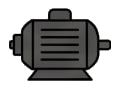
Motor
The Motor symbol from the Power & grid category. Use it to plan power points on a building drawing.
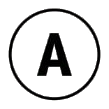
Ammeter
The Ammeter symbol from the Power & grid category. Use it to plan power points on a building drawing.
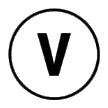
Voltmeter
The Voltmeter symbol from the Power & grid category. Use it to plan power points on a building drawing.
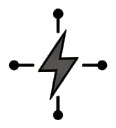
Main power
The Main power symbol from the Power & grid category. Use it to plan power points on a building drawing.
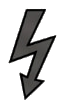
High voltage
The High voltage symbol from the Power & grid category. Use it to plan power points on a building drawing.
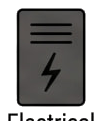
Electrical panel
The Electrical panel symbol from the Power & grid category. Use it to plan power points on a building drawing.
Plumbing & piping
Pipes, valves, pumps, drains and fittings.
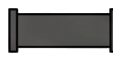
Pipe line
The Pipe line symbol from the Plumbing & piping category. Use it to mark water and drainage routes.
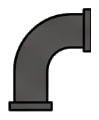
Elbow
The Elbow symbol from the Plumbing & piping category. Use it to mark water and drainage routes.
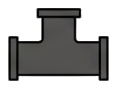
Tee joint
The Tee joint symbol from the Plumbing & piping category. Use it to mark water and drainage routes.

Ball valve
The Ball valve symbol from the Plumbing & piping category. Use it to mark water and drainage routes.
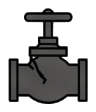
Check valve
The Check valve symbol from the Plumbing & piping category. Use it to mark water and drainage routes.
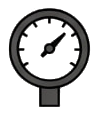
Pressure gauge
The Pressure gauge symbol from the Plumbing & piping category. Use it to mark water and drainage routes.
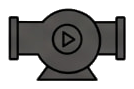
Pump
The Pump symbol from the Plumbing & piping category. Use it to mark water and drainage routes.
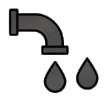
Drain
The Drain symbol from the Plumbing & piping category. Use it to mark water and drainage routes.
Flow direction (Arrow)
The Flow direction (Arrow) symbol from the Plumbing & piping category. Use it to mark water and drainage routes.
HVAC & heating
Air conditioners, ducts, vents, fans and heaters.
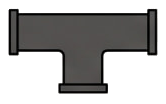
Ductwork
The Ductwork symbol from the HVAC & heating category. Use it to lay out heating, cooling and ventilation.
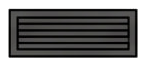
Diffuser / Grille
The Diffuser / Grille symbol from the HVAC & heating category. Use it to lay out heating, cooling and ventilation.
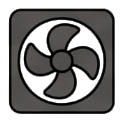
Exhaust fan
The Exhaust fan symbol from the HVAC & heating category. Use it to lay out heating, cooling and ventilation.
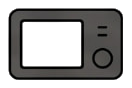
Thermostat
The Thermostat symbol from the HVAC & heating category. Use it to lay out heating, cooling and ventilation.
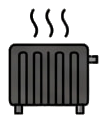
Heater
The Heater symbol from the HVAC & heating category. Use it to lay out heating, cooling and ventilation.
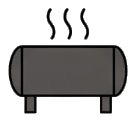
Chiller
The Chiller symbol from the HVAC & heating category. Use it to lay out heating, cooling and ventilation.
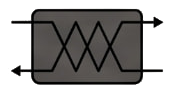
Heat exchanger
The Heat exchanger symbol from the HVAC & heating category. Use it to lay out heating, cooling and ventilation.
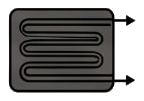
Condenser
The Condenser symbol from the HVAC & heating category. Use it to lay out heating, cooling and ventilation.
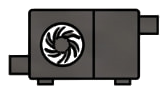
Air handler
The Air handler symbol from the HVAC & heating category. Use it to lay out heating, cooling and ventilation.
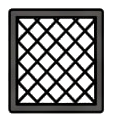
Filter
The Filter symbol from the HVAC & heating category. Use it to lay out heating, cooling and ventilation.
Instruments & sensors
Gauges, meters, thermostats and control sensors.
Temperature sensor
The Temperature sensor symbol from the Instruments & sensors category. Use it to show measuring and control points.
Pressure switch
The Pressure switch symbol from the Instruments & sensors category. Use it to show measuring and control points.
Level transmitter
The Level transmitter symbol from the Instruments & sensors category. Use it to show measuring and control points.
Flow meter
The Flow meter symbol from the Instruments & sensors category. Use it to show measuring and control points.
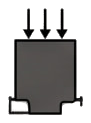
Transducer
The Transducer symbol from the Instruments & sensors category. Use it to show measuring and control points.
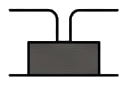
Unidentified instrument symbol
The Unidentified instrument symbol symbol from the Instruments & sensors category. Use it to show measuring and control points.
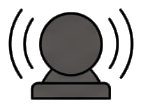
Alarm
The Alarm symbol from the Instruments & sensors category. Use it to show measuring and control points.
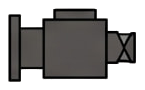
Solenoid
The Solenoid symbol from the Instruments & sensors category. Use it to show measuring and control points.
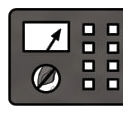
Control panel
The Control panel symbol from the Instruments & sensors category. Use it to show measuring and control points.
Calibration point
The Calibration point symbol from the Instruments & sensors category. Use it to show measuring and control points.
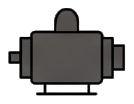
Actuator
The Actuator symbol from the Instruments & sensors category. Use it to show measuring and control points.
How to use this collection
Open the workspace, upload a document, open the collection in the side menu and drag an icon onto the page. Resize, rotate, mirror and recolour it in black, blue, red or green.
Open editor