
Legal, HR & Administration icon collection
Contracts, policies and HR forms move faster when everyone can see their status and where to sign. This collection provides the stamps and flags used in offices, law firms and HR teams — approved, confidential, sign here, initial, filed — so documents are clear before they are sent.
Who it's for: Lawyers, paralegals, HR professionals, office managers and anyone handling contracts.
Status & action stamps
Approved, rejected, draft, confidential, urgent and copy stamps.

Approved
The Approved symbol from the Status & action stamps category. Use it to show the state of a document at the top of a page.

Confidential stamp
The Confidential stamp symbol from the Status & action stamps category. Use it to show the state of a document at the top of a page.

Draft stamp
The Draft stamp symbol from the Status & action stamps category. Use it to show the state of a document at the top of a page.
Void
The Void symbol from the Status & action stamps category. Use it to show the state of a document at the top of a page.

Urgent
The Urgent symbol from the Status & action stamps category. Use it to show the state of a document at the top of a page.

Completed
The Completed symbol from the Status & action stamps category. Use it to show the state of a document at the top of a page.

Reviewed
The Reviewed symbol from the Status & action stamps category. Use it to show the state of a document at the top of a page.

Denied
The Denied symbol from the Status & action stamps category. Use it to show the state of a document at the top of a page.
Signature & signing flags
Sign here, initial here, date and witness flags.

Sign here
The Sign here symbol from the Signature & signing flags category. Use it to guide signers to every place they need to sign.

Initial here
The Initial here symbol from the Signature & signing flags category. Use it to guide signers to every place they need to sign.

Date here
The Date here symbol from the Signature & signing flags category. Use it to guide signers to every place they need to sign.
Witness sign
The Witness sign symbol from the Signature & signing flags category. Use it to guide signers to every place they need to sign.

Co-sign
The Co-sign symbol from the Signature & signing flags category. Use it to guide signers to every place they need to sign.
Stamp here
The Stamp here symbol from the Signature & signing flags category. Use it to guide signers to every place they need to sign.

Initial pointer
The Initial pointer symbol from the Signature & signing flags category. Use it to guide signers to every place they need to sign.
Sign flag
The Sign flag symbol from the Signature & signing flags category. Use it to guide signers to every place they need to sign.
Sign flag — wide
The Sign flag — wide symbol from the Signature & signing flags category. Use it to guide signers to every place they need to sign.
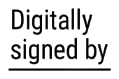
Digitally signed by
The Digitally signed by symbol from the Signature & signing flags category. Use it to guide signers to every place they need to sign.
Legal & notary annotations
Seals, clause markers, exhibit tags and legal references.

Notary seal placeholder
The Notary seal placeholder symbol from the Legal & notary annotations category. Use it to annotate clauses and attachments in legal documents.

Apostille
The Apostille symbol from the Legal & notary annotations category. Use it to annotate clauses and attachments in legal documents.

Certified copy
The Certified copy symbol from the Legal & notary annotations category. Use it to annotate clauses and attachments in legal documents.

True copy
The True copy symbol from the Legal & notary annotations category. Use it to annotate clauses and attachments in legal documents.

Exhibit A
The Exhibit A symbol from the Legal & notary annotations category. Use it to annotate clauses and attachments in legal documents.

Seal
The Seal symbol from the Legal & notary annotations category. Use it to annotate clauses and attachments in legal documents.

Redacted stamp
The Redacted stamp symbol from the Legal & notary annotations category. Use it to annotate clauses and attachments in legal documents.
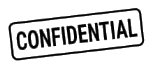
Confidential label
The Confidential label symbol from the Legal & notary annotations category. Use it to annotate clauses and attachments in legal documents.
Redaction & censorship
Decorative redacted, classified and removed-information labels.

Redaction block
The Redaction block symbol from the Redaction & censorship category. Use it to label hidden content; for real removal use the Redact tool.

Blackout text
The Blackout text symbol from the Redaction & censorship category. Use it to label hidden content; for real removal use the Redact tool.

Blackout box
The Blackout box symbol from the Redaction & censorship category. Use it to label hidden content; for real removal use the Redact tool.
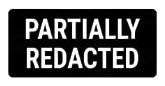
Partially redacted
The Partially redacted symbol from the Redaction & censorship category. Use it to label hidden content; for real removal use the Redact tool.

Censorship mask
The Censorship mask symbol from the Redaction & censorship category. Use it to label hidden content; for real removal use the Redact tool.
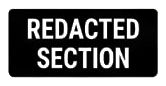
Redacted section
The Redacted section symbol from the Redaction & censorship category. Use it to label hidden content; for real removal use the Redact tool.
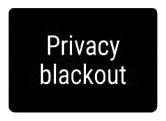
Privacy blackout
The Privacy blackout symbol from the Redaction & censorship category. Use it to label hidden content; for real removal use the Redact tool.
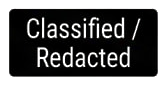
Classified / Redacted
The Classified / Redacted symbol from the Redaction & censorship category. Use it to label hidden content; for real removal use the Redact tool.
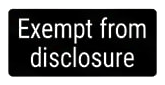
Exempt from disclosure
The Exempt from disclosure symbol from the Redaction & censorship category. Use it to label hidden content; for real removal use the Redact tool.
Confidential mask
The Confidential mask symbol from the Redaction & censorship category. Use it to label hidden content; for real removal use the Redact tool.
Filing & admin symbols
Folders, archive, received, scanned and reference symbols.

File here
The File here symbol from the Filing & admin symbols category. Use it to track where a document is kept and what happened to it.
Archive
The Archive symbol from the Filing & admin symbols category. Use it to track where a document is kept and what happened to it.
Scan
The Scan symbol from the Filing & admin symbols category. Use it to track where a document is kept and what happened to it.

Shred
The Shred symbol from the Filing & admin symbols category. Use it to track where a document is kept and what happened to it.
Copy
The Copy symbol from the Filing & admin symbols category. Use it to track where a document is kept and what happened to it.

Send — paper plane
The Send — paper plane symbol from the Filing & admin symbols category. Use it to track where a document is kept and what happened to it.
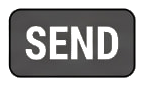
Send label
The Send label symbol from the Filing & admin symbols category. Use it to track where a document is kept and what happened to it.

Do not copy
The Do not copy symbol from the Filing & admin symbols category. Use it to track where a document is kept and what happened to it.

Internal use only
The Internal use only symbol from the Filing & admin symbols category. Use it to track where a document is kept and what happened to it.
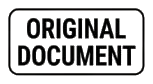
Original document
The Original document symbol from the Filing & admin symbols category. Use it to track where a document is kept and what happened to it.

Attachment
The Attachment symbol from the Filing & admin symbols category. Use it to track where a document is kept and what happened to it.
How to use this collection
Open the workspace, upload a document, open the collection in the side menu and drag an icon onto the page. Resize, rotate, mirror and recolour it in black, blue, red or green.
Open editor