
Security Systems Installation icon collection
Installers and integrators plan where every camera, sensor and keypad goes before they arrive on site. Placing these standard device symbols on the customer's floor plan produces a clear installation drawing and quote attachment that technicians and customers can both read.
Who it's for: Alarm and CCTV installers, integrators, site surveyors and facility managers.
CCTV cameras
Dome, bullet, PTZ and specialised camera types.
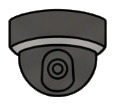
Dome camera
The Dome camera symbol from the CCTV cameras category. Use it to mark a camera position and the type to install.
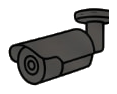
Bullet camera
The Bullet camera symbol from the CCTV cameras category. Use it to mark a camera position and the type to install.
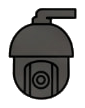
PTZ camera
The PTZ camera symbol from the CCTV cameras category. Use it to mark a camera position and the type to install.
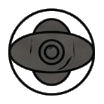
360 panoramic camera
The 360 panoramic camera symbol from the CCTV cameras category. Use it to mark a camera position and the type to install.
Wireless camera
The Wireless camera symbol from the CCTV cameras category. Use it to mark a camera position and the type to install.
Battery camera
The Battery camera symbol from the CCTV cameras category. Use it to mark a camera position and the type to install.
Doorbell camera
The Doorbell camera symbol from the CCTV cameras category. Use it to mark a camera position and the type to install.
IP camera
The IP camera symbol from the CCTV cameras category. Use it to mark a camera position and the type to install.
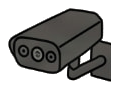
Multi-lens camera
The Multi-lens camera symbol from the CCTV cameras category. Use it to mark a camera position and the type to install.
Sensors & detectors
Motion, curtain, glass-break, smoke and contact sensors.
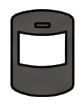
Motion detector
The Motion detector symbol from the Sensors & detectors category. Use it to show where each detector is mounted.
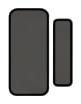
Door / Window contact
The Door / Window contact symbol from the Sensors & detectors category. Use it to show where each detector is mounted.

Glass break sensor
The Glass break sensor symbol from the Sensors & detectors category. Use it to show where each detector is mounted.
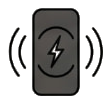
Vibration sensor
The Vibration sensor symbol from the Sensors & detectors category. Use it to show where each detector is mounted.
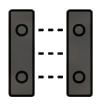
Photoelectric beam
The Photoelectric beam symbol from the Sensors & detectors category. Use it to show where each detector is mounted.
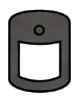
Outdoor PIR
The Outdoor PIR symbol from the Sensors & detectors category. Use it to show where each detector is mounted.

Flood detector
The Flood detector symbol from the Sensors & detectors category. Use it to show where each detector is mounted.
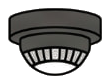
Heat detector
The Heat detector symbol from the Sensors & detectors category. Use it to show where each detector is mounted.
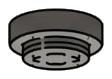
Smoke detector
The Smoke detector symbol from the Sensors & detectors category. Use it to show where each detector is mounted.
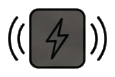
Shock sensor
The Shock sensor symbol from the Sensors & detectors category. Use it to show where each detector is mounted.
Alerts & signalling
Sirens, strobes, panic buttons and notification devices.
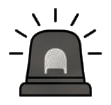
Siren / Strobe
The Siren / Strobe symbol from the Alerts & signalling category. Use it to place devices that warn people on site.
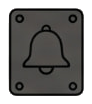
Outdoor bell box
The Outdoor bell box symbol from the Alerts & signalling category. Use it to place devices that warn people on site.
Indoor chime
The Indoor chime symbol from the Alerts & signalling category. Use it to place devices that warn people on site.
Status indicator
The Status indicator symbol from the Alerts & signalling category. Use it to place devices that warn people on site.
Strobe light
The Strobe light symbol from the Alerts & signalling category. Use it to place devices that warn people on site.
Horn speaker
The Horn speaker symbol from the Alerts & signalling category. Use it to place devices that warn people on site.

Panic button
The Panic button symbol from the Alerts & signalling category. Use it to place devices that warn people on site.

Compact siren
The Compact siren symbol from the Alerts & signalling category. Use it to place devices that warn people on site.
Wireless repeater
The Wireless repeater symbol from the Alerts & signalling category. Use it to place devices that warn people on site.

Alarm sign / Decal
The Alarm sign / Decal symbol from the Alerts & signalling category. Use it to place devices that warn people on site.
Access & control
Keypads, card readers, intercoms and electric locks.
Keypad
The Keypad symbol from the Access & control category. Use it to plan who can enter and where.
Touchscreen panel
The Touchscreen panel symbol from the Access & control category. Use it to plan who can enter and where.
RFID reader
The RFID reader symbol from the Access & control category. Use it to plan who can enter and where.
Biometric / Fingerprint
The Biometric / Fingerprint symbol from the Access & control category. Use it to plan who can enter and where.
Video door intercom
The Video door intercom symbol from the Access & control category. Use it to plan who can enter and where.
Indoor station
The Indoor station symbol from the Access & control category. Use it to plan who can enter and where.
Electronic lock (Maglock)
The Electronic lock (Maglock) symbol from the Access & control category. Use it to plan who can enter and where.
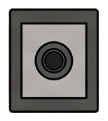
Push to exit
The Push to exit symbol from the Access & control category. Use it to plan who can enter and where.
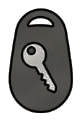
Key fob
The Key fob symbol from the Access & control category. Use it to plan who can enter and where.
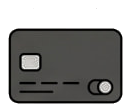
Control card
The Control card symbol from the Access & control category. Use it to plan who can enter and where.
Power & recording
Recorders, control panels, power supplies and network gear.
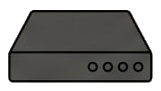
DVR (Digital video recorder)
The DVR (Digital video recorder) symbol from the Power & recording category. Use it to show where the central equipment sits.
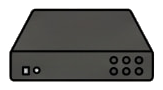
NVR (Network video recorder)
The NVR (Network video recorder) symbol from the Power & recording category. Use it to show where the central equipment sits.
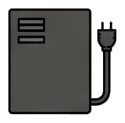
Power supply box
The Power supply box symbol from the Power & recording category. Use it to show where the central equipment sits.
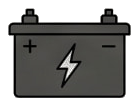
Backup battery
The Backup battery symbol from the Power & recording category. Use it to show where the central equipment sits.
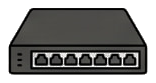
Network switch (PoE)
The Network switch (PoE) symbol from the Power & recording category. Use it to show where the central equipment sits.
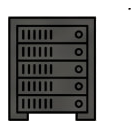
Server rack
The Server rack symbol from the Power & recording category. Use it to show where the central equipment sits.
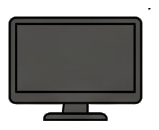
Monitor
The Monitor symbol from the Power & recording category. Use it to show where the central equipment sits.
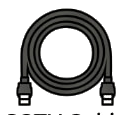
CCTV cable (Coaxial/RJ45)
The CCTV cable (Coaxial/RJ45) symbol from the Power & recording category. Use it to show where the central equipment sits.
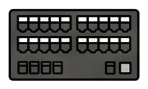
Patch panel
The Patch panel symbol from the Power & recording category. Use it to show where the central equipment sits.
Intercom hub
The Intercom hub symbol from the Power & recording category. Use it to show where the central equipment sits.
How to use this collection
Open the workspace, upload a document, open the collection in the side menu and drag an icon onto the page. Resize, rotate, mirror and recolour it in black, blue, red or green.
Open editor